The Importance of Digital Hygiene for Online Financial Security
The internet is no longer just a place for entertainment — it has become a space where we store our money, personal documents, and sensitive information. As we rely on more digital services in our daily lives, the amount of personal and financial data we share online continues to increase.
Every new financial app, marketplace, or investment platform requires personal information, often including a phone number. If you prefer not to share your primary number with every service, using a temporary phone number provided by GetTempNumber can help reduce unwanted calls, spam, and unnecessary exposure of your personal information. However, protecting your privacy starts with much more than choosing the right contact information — it requires strong digital hygiene practices.
Let’s explore digital hygiene practices — from properly configuring your router to knowing what steps to take if fraudsters gain access to your accounts.
Why Digital Hygiene Matters for Everyone
Data breaches and online scams affect millions of users every year, making digital hygiene an essential part of modern financial security. Therefore, when using the internet, it is extremely important to practice good digital hygiene: not just install antivirus software and forget about it, but build habits that are integrated into everyday life. The principle of “target hardening” applies here. Imagine your house: additional locks and an alarm system make it unattractive to a thief.
The same rules apply in the digital world. Following basic hygiene practices, such as regular updates and complex passwords, significantly reduces the risk of hacking. Hackers are pragmatists; they look for easy targets. Data protection is based on three layers:
- Basic: unique passwords and two-factor authentication (2FA). Without these, any other measures are ineffective.
- Technical: using password managers, private networks (VPNs), and encryption.
- Psychological: the ability to pause and think before clicking a link.
Three Core Principles of Online Financial Security
You don’t need to be an IT specialist to protect your data. It is enough to follow three fundamental rules.
#1: Use Strong, Unique Passwords
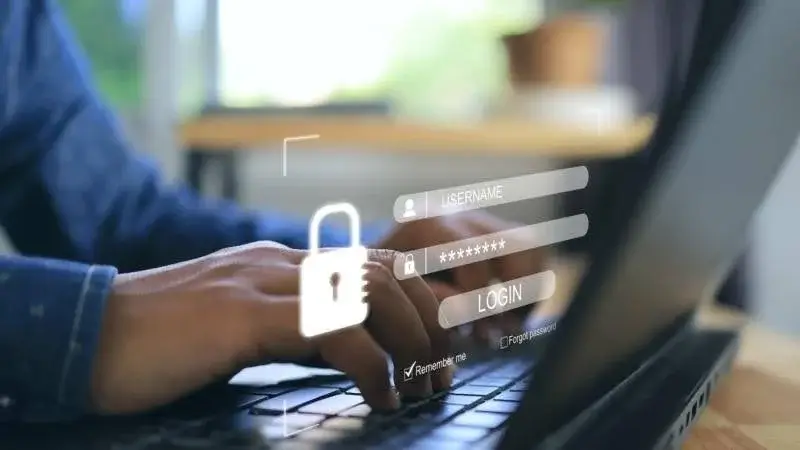
The main vulnerability of most users is reusing the same password for different services. If you use the same password for a knitting enthusiasts’ forum and for online banking, hacking the forum could automatically give attackers access to your money. The password must be complex (12–16 characters, numbers, special characters) and unique for each account.
Password managers like Bitwarden or 1Password not only store your passwords in encrypted form, but also generate complex passwords that cannot be guessed manually.
#2: Keep Your Software Up to Date
Updates fix security vulnerabilities that attackers can exploit. Ignoring updates leaves your devices open to attacks that developers have already released fixes for.
#3: Avoid Sensitive Transactions on Public Wi-Fi
Free Wi-Fi in cafes or the subway is a risk area. Data on open networks is easy to intercept. To log in to critical services, use only mobile internet or a home Wi-Fi network.
Secure Every Device You Use
Today, ssmartphones and laptops often know more about us than our closest friends do. They store not only correspondence and photos, but also access to all bank accounts, documents, and services. Therefore, protecting physical devices is critically important.
Smartphones and tablets. A smartphone is often the most vulnerable device because it is always with us. Be sure to set up a screen lock (PIN, fingerprint, or Face ID) and automatic locking after one or two minutes of inactivity.
Computers and laptops. To protect your data in case your laptop is stolen, enable full-disk encryption (for example, BitLocker on Windows or FileVault on macOS). This will make the information on the hard drive a meaningless string of characters for the thief.
Antivirus solutions. Windows users should keep Microsoft Defender or another reputable security solution enabled at all times. Android users should install apps only from trusted sources and consider using additional security software when necessary. Modern solutions (for example, Bitdefender) work in real time, blocking not only viruses, but also phishing links and ransomware. Studies show that the risk of infection without antivirus protection can increase significantly.
Home network and IoT. Your router is the “front door” to your home network. Change the factory administrator password, update the router’s firmware, and, if possible, set up a guest network for smart devices (kettles, vacuum cleaners, and other smart devices). This isolates them from your computers and smartphones, where important data is stored.
8 Digital Hygiene Habits That Protect Your Money
We often think that cybersecurity is a task of complex algorithms and IT departments. But in practice, your daily routine — how you open emails, where you click, and how often you update apps determines the safety of your data much more than any antivirus.
Here are eight basic habits that do not require special technical knowledge, but when practiced regularly, minimize the risk almost to zero:
- Check the sender’s details. Before clicking on the link in the email, make sure that the sender’s address is familiar to you and looks correct, and does not look like a random string of characters.
- Do not reuse passwords. If one minor service is hacked, all your accounts will be at risk.
- Check your bank statements regularly. Make it a rule to review the history of card transactions once a week in order to notice suspicious charges in time.
- Set up two-factor authentication. Email, social networks, and financial accounts should all have two-factor authentication enabled.
- Don’t expose your data. Never post photos of bank cards, plane tickets, or passports on social media.
- Restrict access. Limit access to your personal information in your social media privacy settings.
- Lock the screen. Get into the habit of pressing the lock button on your smartphone or Windows+L on your computer if you step away even for a minute.
- Create backups. Regularly copy important photos and documents to the cloud or to an external drive.
What to Do If Your Accounts Are Compromised
Even the most advanced protection can fail, and you need to be prepared for this scenario in advance. If you see a message about logging in from an unfamiliar device or notice a suspicious debit, the account can be compromised within minutes. At this point, the main thing is not to panic, but to act according to a clear, well-thought-out algorithm.
- Block your cards immediately. This should be your first step. Do this through the app or by calling the bank.
- Change your passwords. Start with the “root” accounts: email and mobile operator, then online banking.
- Terminate active sessions. Go to the security settings of your browser, messengers, and social networks and click “Log out on all other devices”.
- Remove traces of malware. Run a full antivirus scan of all devices to find and remove spyware that could leak passwords.
- Warn your contacts. If social networks or messengers have been hacked, scammers may start writing to your friends asking them to borrow money. Send a message or post on other social networks with a warning.